CoreviaFlowCOREVIAFLOWDIGITAL PROJECT COMPANY Leave a request
EN UA RU
Automation & workspaceUS

Google Sheets integration & automation

The spreadsheet your team already lives in: leads flow from a Google Sheet into your CRM, reports flow back into the sheet, and nobody copies rows by hand

For many small teams Google Sheets is the CRM: a sheet with leads, a sheet with orders, a sheet with the price list. Google officially lets outside programs read and write those sheets, and Apps Script lets a sheet react when someone edits a cell or run a task on a schedule. We use that to connect your sheets with the CRM, accounting and delivery services, so the sheet keeps its familiar look while the data moves on its own.

What we connect

  • New rows in a leads sheet — from ads, forms or a manager's hands — become leads in the CRM with name, phone and source already filled in.
  • Deals, payments and shipments from the CRM are written into a report sheet on a schedule, so the owner opens one familiar table instead of five dashboards.
  • A price list or stock sheet stays the source of truth: change a number in the sheet and the website, catalogue or CRM picks it up.
  • When a manager changes a status in the sheet, Apps Script notices the edit and passes the row on — to accounting, delivery or a messenger.
  • The connection works under a separate service account: you share the needed file with it the same way you share with a colleague, and it sees nothing else.
  • Reads and writes are grouped into batches, so even a sheet with thousands of rows stays within Google's per-minute limits.

Automation scenarios

01

Leads are collected in a sheet

Before ads and forms drop leads into a Google Sheet, and once a day someone retypes them into the CRM — or forgets to.

After every new row appears in the CRM within minutes as a lead with the right source, and the sheet keeps working as the team's quick view.

02

The owner wants a weekly report in a table

Before on Monday a manager exports deals and payments from the CRM, pastes them into a sheet and fixes the formulas.

After the sheet fills itself on a schedule from the CRM, formulas and charts on the next tab stay in place, and the owner just opens the file.

03

The price list lives in a sheet

Before the supplier updates prices in a shared sheet, and the website and the CRM catalogue lag behind for days.

After the sheet is checked on a schedule, changed rows are pushed to the website and the CRM, and the sheet stays the only place anyone edits prices.

04

The sheet is the CRM for a small team

Before three people run sales from one sheet, and when a status changes to «paid» someone has to write to accounting and the warehouse by hand.

After Apps Script reacts to the edited cell and sends the row where it should go, so the sheet keeps its role and stops being a bottleneck.


How it works technically

For those who want to check: each point links to the official documentation page it comes from.

  • The Google Sheets API is an official interface that lets a program read and modify a spreadsheet's data.

    Source: developers.google.com ↗ checked 2026-09-27
  • Spreadsheet IDs are stable, even if the spreadsheet name changes — renaming the file does not break the connection.

    Source: developers.google.com ↗ checked 2026-09-27
  • Sheets API quotas are per minute and refill every minute; Google's own example is a read limit of 300 requests per minute per project.

    Source: developers.google.com ↗ checked 2026-09-27
  • As long as you stay within the per-minute quotas, there is no limit on the number of requests per day.

    Source: developers.google.com ↗ checked 2026-09-27
  • A service account is a special kind of account used by an application rather than a person; access to a specific Google Sheet is granted by sharing the file or folder with the service account's email address.

    Source: developers.google.com ↗ checked 2026-09-27
  • Apps Script time-driven runs can execute a script on a recurring interval — as frequently as every minute or as infrequently as once per month.

    Source: developers.google.com ↗ checked 2026-09-27

Limits

Google limits how many requests a sheet accepts per minute; go over and the request is refused until the next minute, so heavy updates are grouped into batches and retried with a pause. Google Sheets does not send a signal on its own when a cell changes — edits are caught by Apps Script inside the file or by checking the sheet on a schedule. An Apps Script run is capped in time, and scheduled runs belong to the person who created them: if that employee leaves, the automation stops, so we set them up under a separate technical account. Access to user data through sensitive permissions needs extra verification from Google, so the connection asks only for what it needs.

Screenshots

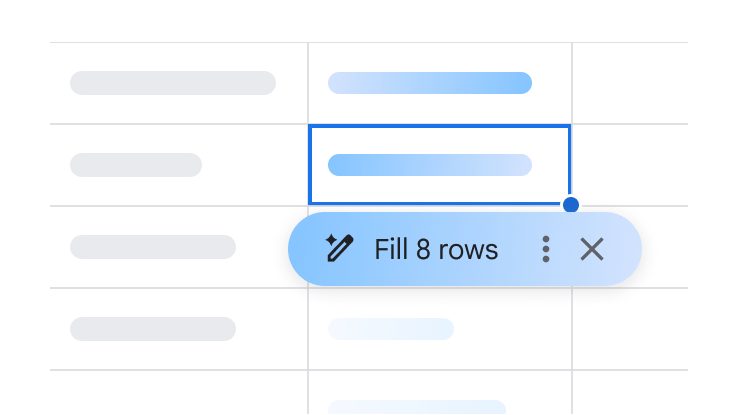
Google Sheets grid with a selected column and the «Fill 8 rows» suggestion — cells are filled automatically instead of by hand
Rows fill themselves Source: workspace.google.com ↗
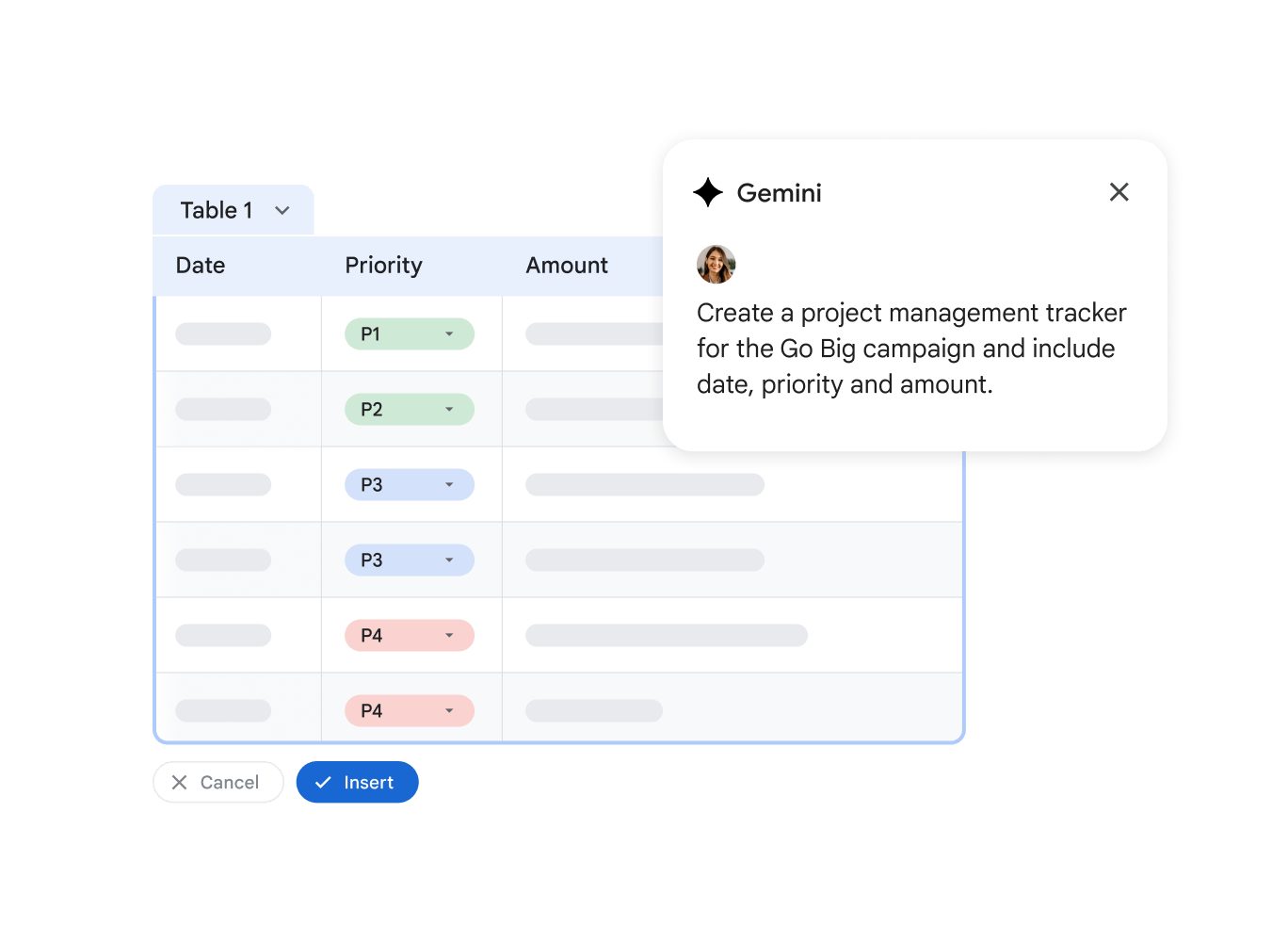
A Google Sheets table with Date, Priority and Amount columns and colour-coded status dropdowns — the kind of sheet a small team runs its work from
Statuses in a sheet Source: workspace.google.com ↗

How to start

Three steps from a first message to work on your project.

  1. 01

    Leave a request

    Describe the task in the form — in text or by voice. Budget and timing are optional.

  2. 02

    We review and estimate

    A developer studies the brief, asks about anything unclear and sends an estimate.

  3. 03

    We start

    Once scope and price are agreed, the work begins.

or write to info@coreviaflow.space

Questions

Do we have to move from the sheet to a real CRM first?
No. The sheet can stay as it is — we connect it to the CRM or other services alongside. When the team is ready to move, the same connection carries the rows over.
Who gets access to our files?
Only a separate service account, and only to the files you share with it — the same way you share a sheet with a colleague. Remove the sharing and the access is gone.
What if someone edits the sheet by hand at the same time?
That is normal for Google Sheets. We agree which columns belong to people and which are written by the connection, so a manual edit and an automatic update do not fight over the same cell.
Will it slow down when the sheet grows to thousands of rows?
Google counts requests per minute, not rows. We read and write in batches and only touch the rows that changed, so a large sheet stays within the limits. Very large archives are better moved to a separate tab or file.

Tell us what needs to be connected

Describe the task in text or a voice message. We look at your setup and reply with a plan.

Pairs with Google Sheets

Related integrations

Implementation · Development · Integrations →

Google Sheets is a trademark of its owner. CoreviaFlow is not affiliated with it unless stated otherwise. Screenshots are taken from public vendor materials; the source is shown under each one.