CoreviaFlowCOREVIAFLOWDIGITAL PROJECT COMPANY Leave a request
EN UA RU
Marketing & EmailUS

Klaviyo integration & automation

Your customers, orders and events flow into Klaviyo so the right email or SMS goes out by itself

Klaviyo is an email and SMS marketing platform built around customer profiles and their behaviour. We connect it to your store, CRM or custom system so every new customer becomes a profile, every order or status change becomes an event, and Klaviyo's automated flows react to real actions instead of a manually uploaded spreadsheet.

What we connect

  • We agree on what should get into Klaviyo: customers, orders, statuses, custom fields, subscription consent.
  • An account owner, admin or manager creates a private access key in Klaviyo with only the permissions the connection needs.
  • The key is shown once — we store it in a protected place and never in the source code or chats.
  • We map your customer fields to Klaviyo profile fields and add custom ones: order count, city, product category, manager.
  • We define the events your system sends: order placed, paid, shipped, returned, subscription renewed.
  • We set up the connection to respect Klaviyo's request limits and to retry safely, so no event is lost or duplicated.
  • We test with a few real customers and events, check that the flows start, and hand over the documentation.

Automation scenarios

01

Abandoned order from a custom store

Before the store runs on a custom engine, and Klaviyo saw nothing — abandoned carts were lost.

After the store sends a 'cart started' event to Klaviyo, and the reminder flow starts by itself with the exact products left in the cart.

02

CRM customers become Klaviyo segments

Before the marketer exported the customer base from the CRM once a month and uploaded it to Klaviyo; segments were always out of date.

After profiles update as soon as a manager changes a deal stage, and segments such as 'bought in the last 30 days' rebuild themselves.

03

Order status messages

Before the warehouse changed the status in the accounting system, and the client found out about shipping only by calling.

After 'shipped' and 'ready for pickup' events go to Klaviyo, and the client receives an email or SMS with the tracking number within the flow.

04

Subscription consent in one place

Before a client unsubscribed in Klaviyo but kept getting messages from the CRM, and vice versa.

After subscribe and unsubscribe actions sync both ways, and the client's choice is respected everywhere.

How it works technically

For those who want to check: each point links to the official documentation page it comes from.

Limits

Klaviyo counts requests per account in two windows — per second and per minute — so large imports are sent in batches and slowed down when needed. A single request may not exceed 5 MB. Only an owner, admin or manager can create access keys, and a key cannot be edited afterwards: if permissions change, a new key is issued. Receiving Klaviyo's own outbound notifications about sends and clicks is available only to accounts with the Advanced KDP add-on; in other cases we read this data on a schedule. Klaviyo retires API revisions over time, so the connection needs an occasional check-up.

Screenshots

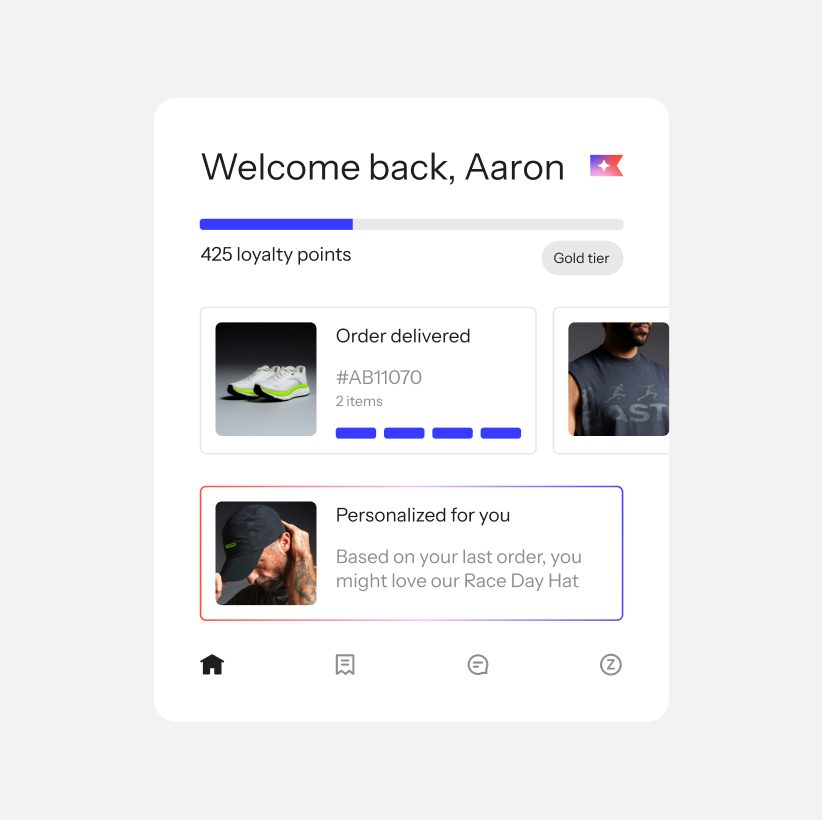
Klaviyo: personalized customer view with order status and loyalty points
A demo customer screen from Klaviyo's site: order status, loyalty tier and a personal recommendation. This is the kind of data the CRM and Klaviyo exchange about each contact. Source: www.klaviyo.com ↗
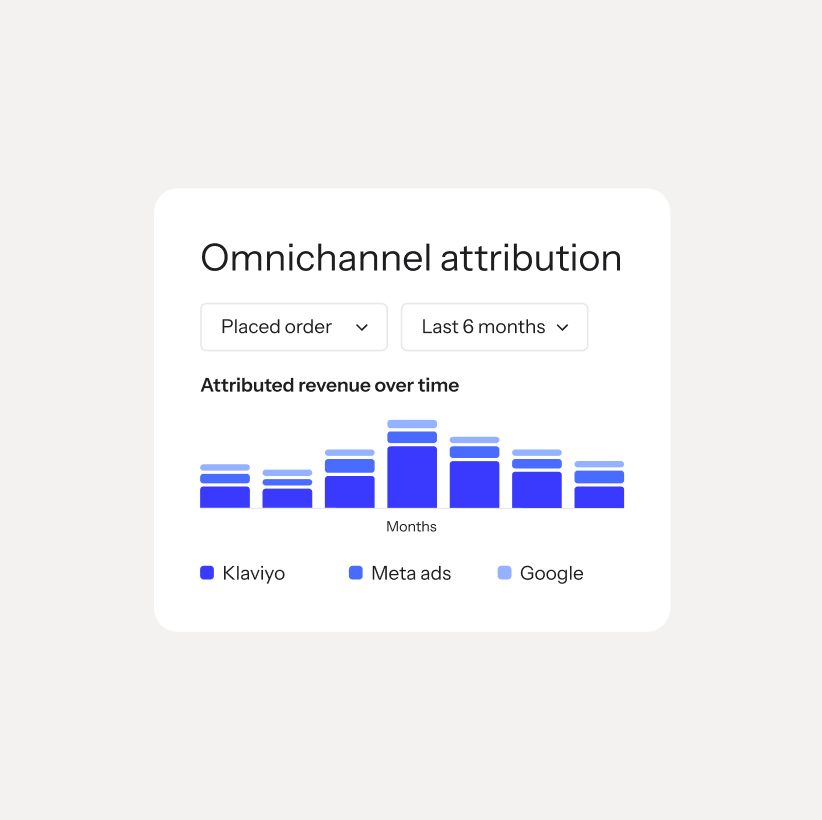
Klaviyo report: omnichannel attribution of orders by channel over six months
Klaviyo's attribution report shows which channel led to an order. With the CRM connected, deals closed by managers land in the same picture. Source: www.klaviyo.com ↗

How to start

Three steps from a first message to work on your project.

  1. 01

    Leave a request

    Describe the task in the form — in text or by voice. Budget and timing are optional.

  2. 02

    We review and estimate

    A developer studies the brief, asks about anything unclear and sends an estimate.

  3. 03

    We start

    Once scope and price are agreed, the work begins.

or write to info@coreviaflow.space

Questions

Our store is not on Shopify or WooCommerce. Can Klaviyo still see orders?
Yes. We build a direct connection from your engine: each order, payment or status change is sent to Klaviyo as an event tied to the customer's profile, and flows react to it the same way as with a ready-made store connector.
Will there be duplicate profiles if a customer already exists in Klaviyo?
No. Klaviyo matches profiles by identifier such as email or phone: if the profile exists, it is updated rather than created again. We also mark each event with a unique ID so that a repeated send does not create a second event.
Who in our company needs to be involved in the setup?
A person with the owner, admin or manager role in Klaviyo — only they can create the access key. Plus a marketer who tells us which flows and segments the data should feed.
Can Klaviyo send data back to our CRM — for example, who opened the email?
Yes, in two ways. Klaviyo can push such notifications itself only for accounts with the Advanced KDP add-on. For everyone else we read opens, clicks and unsubscribes from Klaviyo on a schedule and write them into the CRM.

Tell us what needs to be connected

Describe the task in text or a voice message. We look at your setup and reply with a plan.