
A contact fills a form on the site
Before the contact sits in a spreadsheet until someone checks it and adds them by hand.
After the contact reaches ActiveCampaign automatically, and a welcome sequence starts on its own.
 Marketing & EmailUS
Marketing automation that keeps every contact's history in sync with everything else you use
ActiveCampaign remembers what a contact did — opened an email, clicked a link, filled a form — and turns that into a marketing action. We connect it to your CRM and other tools, so a contact's activity updates their card everywhere at once, and a new contact from another system reaches ActiveCampaign the moment it appears, ready for the next email in line.
Before the contact sits in a spreadsheet until someone checks it and adds them by hand.
After the contact reaches ActiveCampaign automatically, and a welcome sequence starts on its own.
Before nobody outside marketing sees that the contact just got interested.
After the click updates the contact's card in the CRM too, so sales can follow up while it's still fresh.
Before everyone shares one login and one access code, which makes it hard to tell who did what.
After each person gets their own personal key from account settings, so actions stay traceable.
Before too many requests go out at once and the connection breaks.
After requests are paced to fit the account's allowed rate, so nothing gets lost — just delayed by a moment.
For those who want to check: each point links to the official documentation page it comes from.
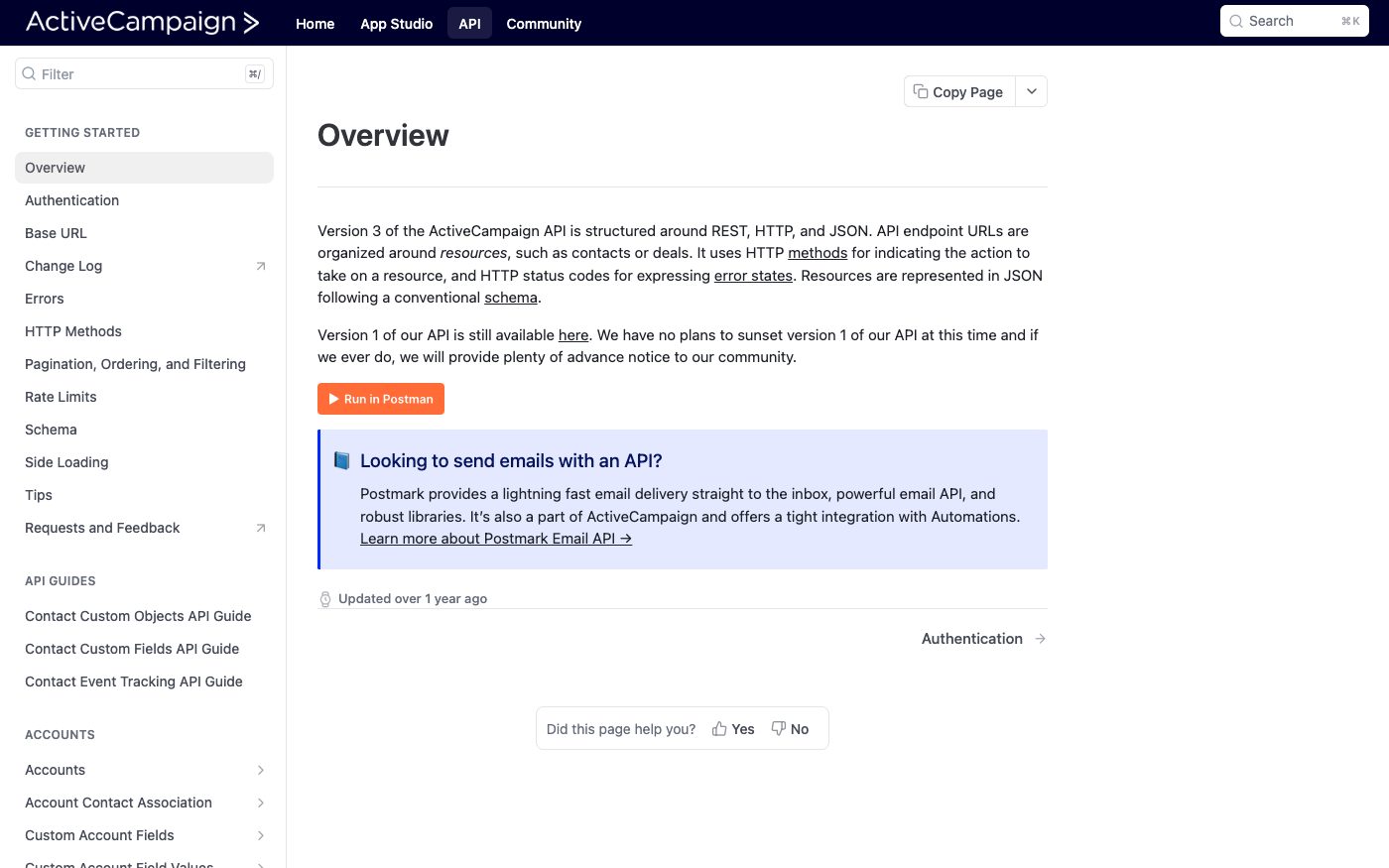
The current version of ActiveCampaign's API is structured around resources such as contacts or deals, in a common REST/JSON style.
Source: developers.activecampaign.com ↗ checked 2026-09-25The earlier version of the API still works — ActiveCampaign states it has no plans to retire it, and promises plenty of advance notice if that ever changes.
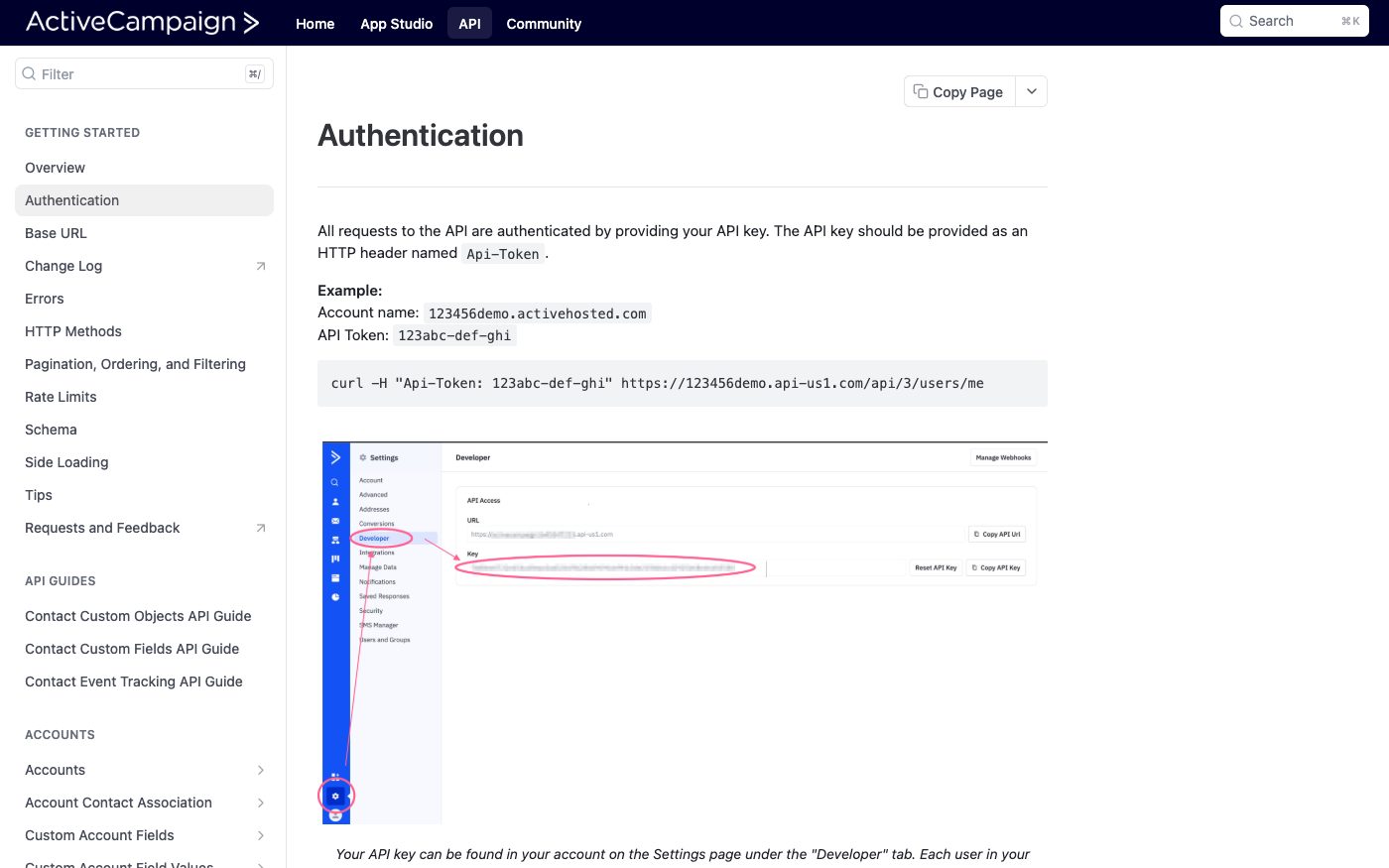
Source: developers.activecampaign.com ↗ checked 2026-09-25Requests are authenticated by an access key sent in its own dedicated field named Api-Token, rather than through a standard login header.
Source: developers.activecampaign.com ↗ checked 2026-09-25Every user in an ActiveCampaign account has their own unique access key, found on the Settings page under the Developer tab.
Source: developers.activecampaign.com ↗ checked 2026-09-25There's a limit of 5 requests per second per account; going over it returns a 429 error together with a header telling how many seconds to wait before trying again.
Source: developers.activecampaign.com ↗ checked 2026-09-25The request-rate limit sits at 5 per second per account; ActiveCampaign also returns the current limit and the remaining allowance in the response, so the pace of requests can be adjusted before hitting the wall.
Three steps from a first message to work on your project.
Describe the task in the form — in text or by voice. Budget and timing are optional.
A developer studies the brief, asks about anything unclear and sends an estimate.
Once scope and price are agreed, the work begins.
or write to info@coreviaflow.space
Describe the task in text or a voice message. We look at your setup and reply with a plan.
Four services people come to us for most often. Each page explains what we do, how the work goes and where to start.
Choose the system, set up the pipeline, migrate data, train the team.
Learn more →Accounting, telephony, website, payments and messengers feed the CRM on their own.
Learn more →Orders, requests and answers around the clock, straight into your CRM.
Learn more →Flows between CRM, email, spreadsheets, payments and AI, on your own server.
Learn more → Marketing & EmailUS
Email marketing that already knows who your customer is — because your CRM told it
See scenarios → Marketing & EmailEU
One connection for email, SMS and WhatsApp that keeps every channel talking to the same contact record
See scenarios → CRMUS
CRMUSUS CRM with built-in calling and no-code automation, ready to plug into the tools you already run
See scenarios → CRMUA
CRMUAUkrainian CRM that pulls orders from your site, marketplaces and chat apps into one pipeline
See scenarios → Marketing & EmailUS
Site and messenger chats that turn into CRM contacts, with an AI assistant on the first line and a manager on the hot ones
See scenarios → Marketing & EmailUS
Client messages from the company's WhatsApp Business number land in the CRM, the manager replies from the CRM, and order updates go out as messages approved by Meta.
See scenarios →Implementation · Development · Integrations →
ActiveCampaign is a trademark of its owner. CoreviaFlow is not affiliated with it unless stated otherwise. Screenshots are taken from public vendor materials; the source is shown under each one.