
A customer completes a payment
Before someone manually checks PayPal and updates the order status.
After the confirmed payment moves the order forward on its own and notifies the customer.
 Payments & POSUS
Payments accepted worldwide, tied straight into the order that's waiting on them
PayPal is a US payment system that lets a business accept money from buyers in most countries of the world. We connect it to your store or CRM so a completed payment can move the order forward on its own, and we prove the whole flow safely in PayPal's practice environment before it ever touches a real payment.
Before someone manually checks PayPal and updates the order status.
After the confirmed payment moves the order forward on its own and notifies the customer.
Before testing against real money and real customer accounts is a real risk.
After the whole flow is built and proven first in a practice environment with two safe test accounts.
Before the basic developer setup isn't enough to test or go live for that.
After a full business account unlocks testing and going live outside the US.
Before a stalled connection risks failing right when a customer is paying.
After the exact expiry time is known in advance, so the pass renews quietly before it runs out.
For those who want to check: each point links to the official documentation page it comes from.
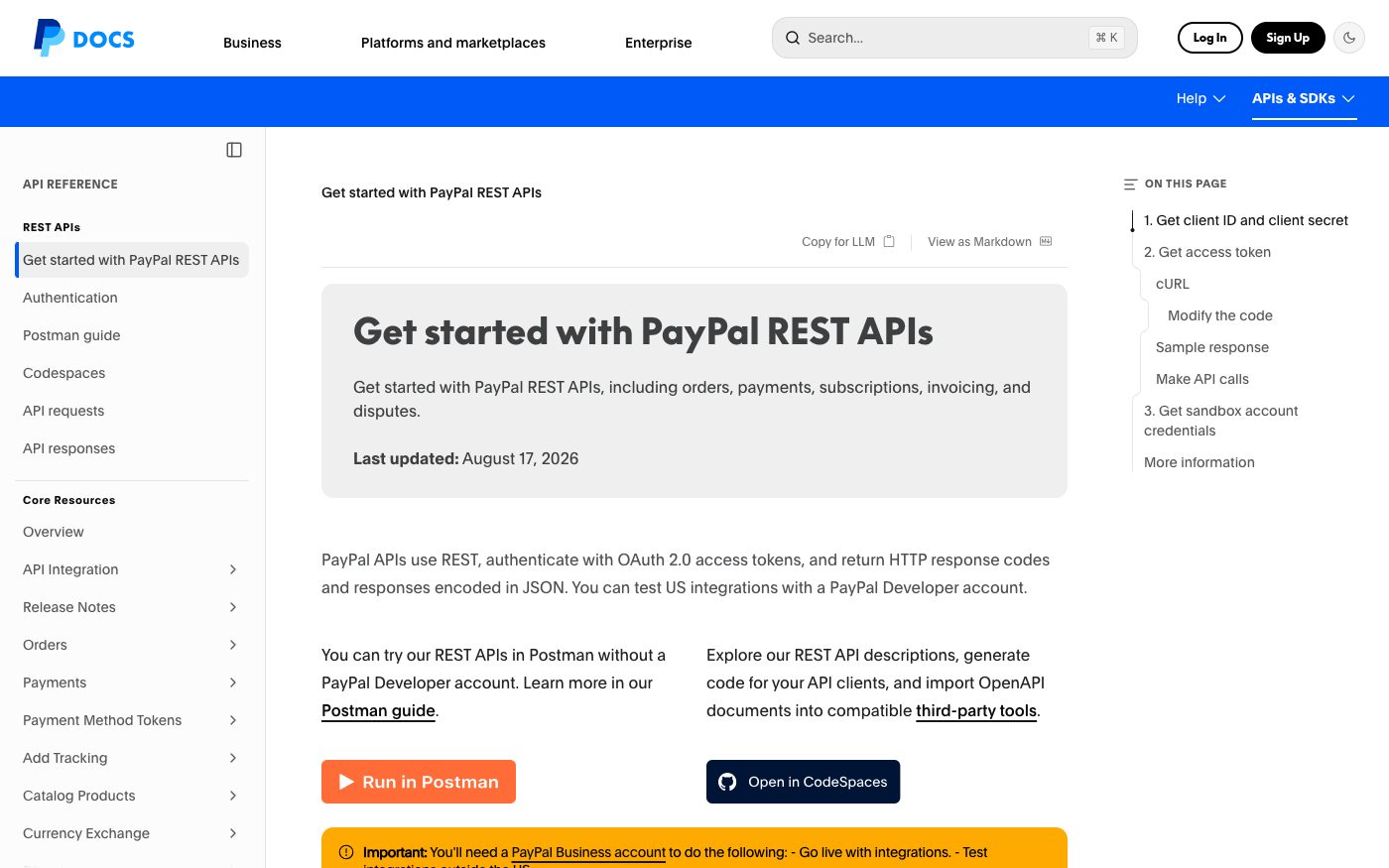
PayPal's connections are built REST-style, authorize each request with an OAuth 2.0 access pass, and reply with structured JSON data and HTTP status codes.
Source: developer.paypal.com ↗ checked 2026-09-25To connect, an integration exchanges a client ID and a client secret for an access pass, and that pass is what authorizes every following request to PayPal.
Source: developer.paypal.com ↗ checked 2026-09-25The reply that hands over the access pass also states exactly how many seconds that pass stays valid for.
Source: developer.paypal.com ↗ checked 2026-09-25Testing purchases and payouts outside the US, or going fully live with an integration, both require a PayPal business account — a basic developer account alone isn't enough.
Source: developer.paypal.com ↗ checked 2026-09-25By default, every PayPal developer account comes with two practice accounts already set up — a personal one for buying and a business one for selling — so test money can move between them.
Source: developer.paypal.com ↗ checked 2026-09-25PayPal reports payment changes to an external system as webhook events: a capture completed, a capture refunded by the merchant, a capture reversed by PayPal, and an invoice paid or partially paid.
Source: developer.paypal.com ↗ checked 2026-09-29A completed payment can be refunded through the API by its capture ID, so a refund goes back against the original payment.
Source: developer.paypal.com ↗ checked 2026-09-29An invoice can be created as a draft through the API and then sent to the customer, or scheduled to be sent, so a payment request goes out without the checkout.
Source: developer.paypal.com ↗ checked 2026-09-29Testing payouts outside the US, or going fully live, both require a full PayPal business account — the basic developer setup only covers building and testing inside the US.
Three steps from a first message to work on your project.
Describe the task in the form — in text or by voice. Budget and timing are optional.
A developer studies the brief, asks about anything unclear and sends an estimate.
Once scope and price are agreed, the work begins.
or write to info@coreviaflow.space
Describe the task in text or a voice message. We look at your setup and reply with a plan.
Four services people come to us for most often. Each page explains what we do, how the work goes and where to start.
Choose the system, set up the pipeline, migrate data, train the team.
Learn more →Accounting, telephony, website, payments and messengers feed the CRM on their own.
Learn more →Orders, requests and answers around the clock, straight into your CRM.
Learn more →Flows between CRM, email, spreadsheets, payments and AI, on your own server.
Learn more →↔
PayPal sales, refunds and processing charges land in QuickBooks Online as proper accounting entries
See scenarios →↔
PayPal payments for orders agreed outside the checkout find their Shopify order, mark it paid and move it to fulfilment, and refunds go back the same way
See scenarios → Payments & POSUS
One checkout for 125+ local payment methods, plus automatic tax and subscription billing
See scenarios → Payments & POSEU
European payment methods connected straight to the order that's waiting on them
See scenarios → Payments & POSUA
Payments with a hold before charging and scheduled recurring charges for subscriptions
See scenarios → Payments & POSUA
Card payments that connect straight to the Checkbox cash register, plus 50+ ready platform connections
See scenarios → CRMUS
CRMUSEnterprise CRM with a live event feed and no-code automation across every record type
See scenarios → Accounting & ERPEU
Your company keeps its books in Xero? We make sales, payments and bookkeeping talk to each other
See scenarios →Implementation · Development · Integrations →
PayPal is a trademark of its owner. CoreviaFlow is not affiliated with it unless stated otherwise. Screenshots are taken from public vendor materials; the source is shown under each one.